Android
- Minimum OS: Android 5.0
- Installation: APK direct from spincitycasino24.com (not Google Play)
- Enable: Settings > Security > Install unknown apps
App at SpinCity in Canada: Play in Your Browser
The full SpinCity experience on your phone: 4,000+ games, CAD cashier, and Evolution Gaming live tables in a native Android and iOS app.
SpinCity in Your Pocket
The full SpinCity experience on your phone: 4,000+ games, CAD cashier, and Evolution Gaming live tables in a native Android and iOS app.
Get the App Play responsibly: this site is for players aged 18 and over, and every bonus is subject to its own terms.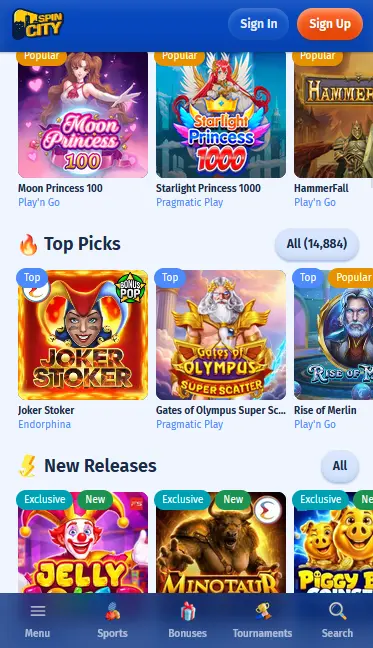
How to Install the SpinCity App
Device Requirements
Android
iOS
Staying Secure on the SpinCity App
What You Should Do
What You Should Avoid
Why Play on the SpinCity App
Full Game Catalogue
Every slot, live table, and jackpot game available on desktop is playable in the app, including all 15 software studios and Evolution Gaming live dealers.
Fast Load Times
The native app caches core assets locally, reducing load times compared to the mobile browser, especially on games with high-resolution graphics like Quantum Roulette Live.
Biometric Login
Face ID and fingerprint unlock are supported on compatible iOS and Android devices, so returning to your account takes one touch rather than typing credentials every time.
SpinCity App: Strengths and Limitations
Pros
Cons
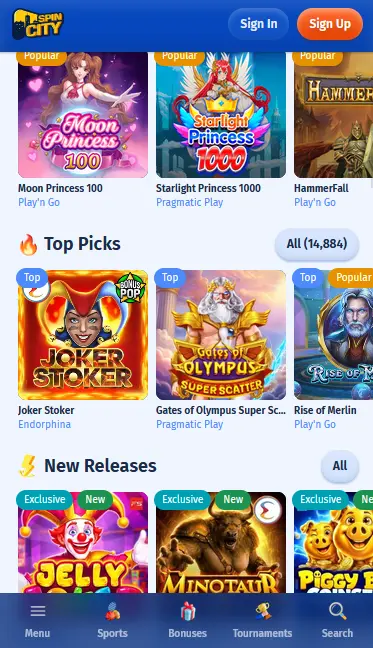
The SpinCity app is available as a native installation on both Android and iOS, with each platform using a slightly different route to reach the download.
Android devices cannot download the SpinCity app from Google Play due to the store’s policies on real-money gambling apps. Instead, the APK is available directly from spincitycasino24.com. Before you download, open your device Settings, find the Security or Privacy section, and turn on Install Unknown Apps for your browser. Navigate to the SpinCity site on your Android device, tap Download App, and save the APK. Once downloaded, open the file to begin installation. Android will ask for confirmation; tap Install. The process takes under a minute. Find the SpinCity icon in your app drawer, launch the app, and sign in.
On an iPhone or iPad running iOS 12.0 or later, open Safari and go to spincitycasino24.com. Follow the link to the App Store listing for the SpinCity app and tap Get. The download and installation run automatically through the standard App Store process. Once installed, open SpinCity, enter your email address and password, and optionally enable Face ID for future logins when the app prompts you.
If you prefer not to install the app, the SpinCity mobile website is fully functional in any modern browser. On iOS, tap the Share icon in Safari and select Add to Home Screen to create a shortcut that launches the site in a full-screen view similar to an app experience.
The SpinCity app is a native build, not a web wrapper or browser redirect. That distinction matters because native code handles animations, transitions, and data caching at the OS level rather than through a browser engine, producing faster response times and a smoother experience during live dealer sessions.
The app gives access to the complete 4,000+ game catalogue, the full CAD cashier, all promotional tools including bonus progress tracking, the VIP programme dashboard, 24/7 live chat, and push notifications for Friday cashback credits and new promotions. The in-app bonus tracker shows wagering progress in real time, which is especially useful during a session where you are clearing the 40x requirement on the welcome offer.
The primary practical difference is biometric login: Face ID on iPhone and fingerprint unlock on Android are available only through the native app, not the mobile browser. Push notifications are also exclusive to the app. Otherwise, the game library, betting limits, and payment methods are identical.
The SpinCity app supports Android and iOS devices meeting the minimum version requirements. Both platforms run the full catalogue including all 15 game studios and the Evolution Gaming live casino section.
Android 5.0 is the minimum required OS version. Most Android smartphones manufactured from 2015 onward meet this threshold. The APK download size is modest; a standard Wi-Fi or 4G connection completes the download in under a minute.
iOS 12.0 is the minimum required version, making the app compatible with iPhone 6S and all later models. iPads running iOS 12 are also supported.
| Platform | Minimum OS | Installation Source | Biometrics |
|---|---|---|---|
| Android | Android 5.0 | APK from spincitycasino24.com | Fingerprint |
| iOS | iOS 12.0 | App Store | Face ID / Touch ID |
The app does not reduce or filter the game catalogue available on desktop. All 4,000+ titles are accessible through the same lobby categories.
Every slot studio in the SpinCity partnership is represented in the app: Pragmatic Play, NetEnt, Big Time Gaming, Yggdrasil, 3 OAKS, Amusnet Interactive, Wazdan, Endorphina, Red Rake Gaming, Spinomenal, Playson, Thunderkick, and Igrosoft. Titles including Extra Chilli, Multi Billyonaire, Witches’ Charm, and Rise of RA load natively with the same RTP and volatility profiles as the desktop versions.
Evolution Gaming’s full suite of live tables streams in HD through the app. Quantum Roulette Live, Live Unlimited Blackjack, All Bets Blackjack Live, Live Heads-Up Holdem, and Live 3 Card Brag are all available. The multi-camera stream adapts to landscape mode automatically when you rotate your device, and the chat panel is accessible without interrupting the video feed.
Standard blackjack, roulette, and baccarat variants are playable in regular (non-live) format directly from the app lobby. Betting limits match those on the desktop platform.
Progressive jackpot slots display their current prize counters in the app lobby in real time. Jackpot bets placed through the app contribute to the same network pools as desktop and browser play.
The app cashier mirrors the desktop version in every detail. All payment methods available on the desktop site are available through the app.
Deposits can be made via Visa, Mastercard, bank transfer, Paysafecard, Neteller, Skrill, Klarna, Rapid Transfer, Sofort, AstroPay, Bitcoin, Ethereum, and USDT. Withdrawals are processed through Visa, Mastercard, bank transfer, AstroPay, and cryptocurrency.
| Method | Min Deposit | Deposit Speed | Min Withdrawal | Withdrawal Speed |
|---|---|---|---|---|
| Visa / Mastercard | $10 | Up to 24 hrs | $50 | Up to 24 hrs |
| Bank Transfer | $10 | 24-48 hrs | $50 | 24-48 hrs |
| AstroPay | $10 | Instant | $50 | Instant |
| Crypto (BTC/ETH/USDT) | $10 | Instant | $50 | Instant |
| Paysafecard | $10 | Instant | N/A | Deposit only |
All transactions are processed in CAD, with no internal fees applied by SpinCity.
Every transaction through the app is covered by the same TLS encryption and PCI-DSS compliance that applies on the desktop platform. Payment data is handled by Faro Entertainment N.V. and is never stored in the app itself.
All SpinCity promotions are fully available through the app with no reduction in offer value.
New players who register and deposit through the SpinCity app receive the same four-deposit welcome chain as desktop users: 100% match plus 100 free spins on the first deposit, 75% on deposits two and three, and 100% on the fourth. Wagering is 40x, validity is five days from registration. Players must be 19 or older (18 or older in Alberta, Manitoba and Quebec) to claim any bonus. See the full bonus terms and conditions for complete eligibility rules.
SpinCity’s security architecture on the app operates at the same level as the desktop platform, with additional device-level protections available through the native installation.
All data between the app and SpinCity’s servers travels over TLS-encrypted channels. Login credentials, session tokens, and payment details are never transmitted in plain text.
Two-factor authentication is not currently listed as a mandatory step in the SpinCity account settings, but the combination of a unique password and biometric device-level authentication provides a practical equivalent for app users.
Face ID (iPhone) and fingerprint unlock (Android) are available as a login method within the native app. Enabling biometrics stores a secure authentication token in the device’s encrypted keychain; SpinCity does not receive or store your biometric data.
Registration can be completed directly in the SpinCity app. Tap the Register button, enter a valid email address, create a password of at least eight characters, confirm your age (19+, or 18+ in Alberta, Manitoba and Quebec), and accept the Terms and Conditions. Your account is created instantly and you are redirected to the cashier to make your first deposit and claim the welcome bonus.
Returning players tap the Login button on the app launch screen, enter their email and password, and are taken straight to the account dashboard. After the first manual login, you can enable Face ID or fingerprint authentication in the app settings for faster access in future sessions.
SpinCity’s full customer support team is accessible from within the app at any time.
Live chat launches from the app menu and connects to the same 24/7 team as the desktop site. Average response time is under two minutes. Email queries can be sent to [email protected] and are typically resolved within 24 hours. Phone support is also available for urgent payment or account matters. Support agents are fluent in both English and French, covering the needs of players across all Canadian provinces including Quebec.
Self-management tools including deposit limits, loss limits, session timers, reality checks, and self-exclusion are accessible from the account settings section of the app. If gambling is affecting you negatively, these tools can be activated without contacting support, and live chat can help you set stricter limits immediately.
App Questions
Yes. The SpinCity Android app is distributed as an APK directly from spincitycasino24.com, so Google Play is not required. You only need to enable installation from unknown sources in your device security settings before running the file.
The SpinCity iOS app requires iOS 12.0 or later, so a device running iOS 11 is not compatible. Updating to iOS 12 on a supported iPhone model will allow the app to install and run.
Yes. All promotions including the four-deposit welcome chain and the Friday 10% cashback are available on the app exactly as they are on the desktop site. Bonuses are managed through the same cashier and promotions sections.
Visit spincitycasino24.com on your Android device and download the latest APK. Install it over the existing version; your account data and game history are stored on SpinCity's servers, not locally, so nothing is lost during the update.
Download the SpinCity App
Grab 100% up to $200 and 100 free spins.
Join the Action Play responsibly: this site is for players aged 18 and over, and every bonus is subject to its own terms.